AI-Powered Facebook Video Transcription: How It Works
Most guides say 'AI transcription is fast and accurate' and stop there. This one explains what is actually happening — how the model processes audio, what drives accuracy variation across different Facebook video types, and what you can do to get better results.
Rida Mehwish
Software Developer at Codingtron · Vehari, Pakistan
Builder of Facebook to Transcript. Writes about AI transcription, video accessibility, and practical workflows for content creators and researchers.
What's Actually Happening When You Paste a Facebook URL
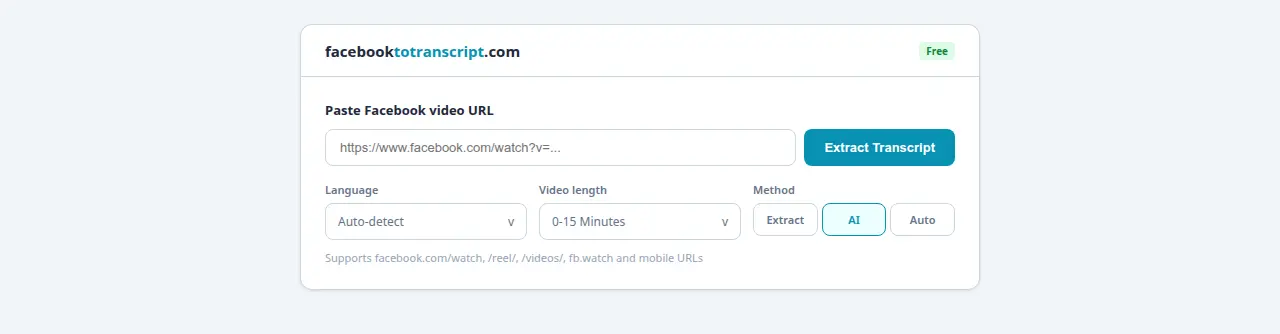
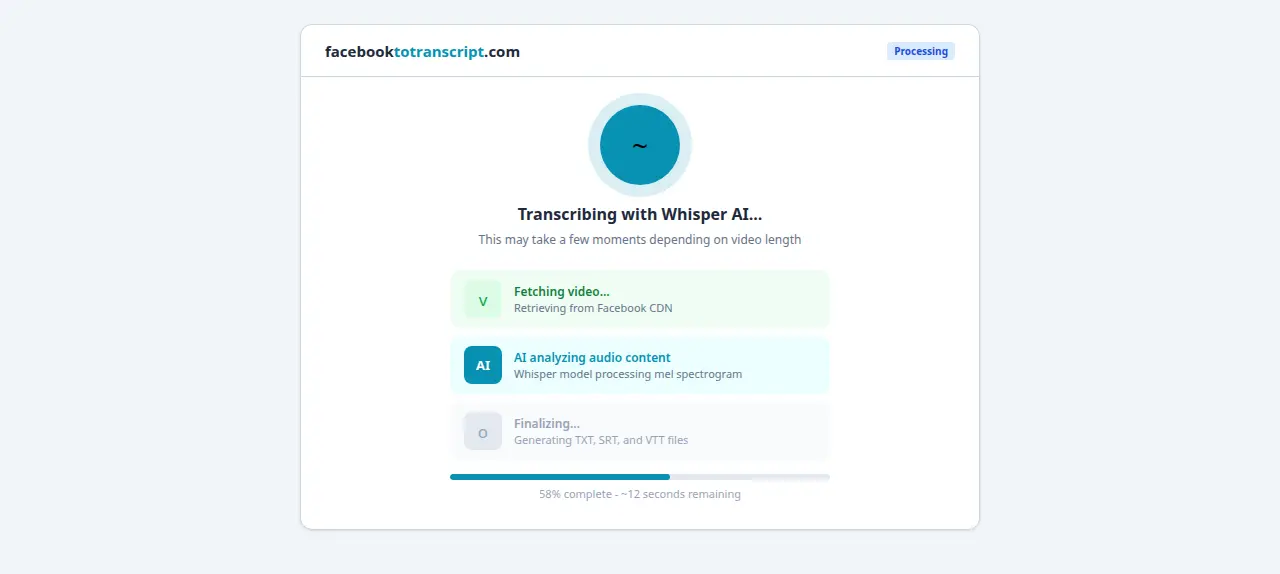
When you paste a URL and click Transcribe, a few things happen in quick sequence that are worth understanding. First, the tool fetches the video from Facebook's CDN and strips out the audio track — the video frames are discarded entirely, they're not analyzed. Second, that audio gets split into 30-second overlapping chunks. Third, each chunk converts into a mel spectrogram: a two-dimensional frequency map of the audio over time, where the horizontal axis is time and the vertical axis is frequency, with brightness indicating intensity. The neural network reads that spectrogram — it doesn't “listen” the way a human does — and predicts the most likely sequence of words.
The reason that works is scale. OpenAI's Whisper model, which is the architecture behind most production ASR systems you'll use today, was trained on 680,000 hours of multilingual audio scraped from the web. For reference, that's about 77 years of continuous audio. The breadth of that training is why it handles accents, background noise, and 50-plus languages well enough to be genuinely useful on the messy audio you find in real Facebook videos — things older rule-based systems completely fell apart on.
Why Accuracy Varies — Four Factors That Actually Control It
OpenAI's published benchmark for Whisper on standard English audio is a word error rate of approximately 3%. In practice, on a well-recorded Facebook video, you'd correct maybe 3–6 words in a 10-minute transcript. That's genuinely good. But it's not the full picture for every video you'll encounter.
| Factor | Typical Accuracy Impact | Can You Fix It? |
|---|---|---|
| Background noise (music, crowds, traffic) | −5 to −15% | Yes — record in a quieter space |
| Overlapping speakers | −8 to −20% | Partially — avoid simultaneous speech |
| Low-resource language or heavy regional accent | −10 to −30% | No — training data limitation |
| Heavy audio compression (old phone, poor connection) | −3 to −10% | Partially — use a better recording setup |
Background noise is worth dwelling on. When someone records a Facebook Live outdoors at a noisy event, the audio signal that reaches the model is already compromised — the speech and noise are mixed together in the waveform before processing begins. No model update changes this because the signal itself is degraded before the AI ever touches it. The fix is always at the source: better microphone placement, quieter environment, or a different recording setup.
The language gap is real and worth knowing about. Whisper was trained on far more English content than Swahili, Azerbaijani, or Burmese. Accuracy for less-represented languages can fall to 70–85%, especially with regional accents. Major world languages — Spanish, French, German, Portuguese, Mandarin, Arabic, Hindi, Japanese, Korean, Italian — perform very well. If you're working in a language you're unsure about, do a quick test on a 2-minute clip before committing to transcribing a 60-minute recording.
For Facebook Messenger video clips recorded on phones, compression artifacts are the biggest accuracy risk — those are covered separately in the Messenger guide.
The Full Transcription Pipeline, Step by Step
Knowing what each step does helps when something doesn't behave as expected:
- URL validation. The tool checks that the link points to an accessible public video. Private content and login-gated pages fail here. Check the private Facebook video guide for workarounds.
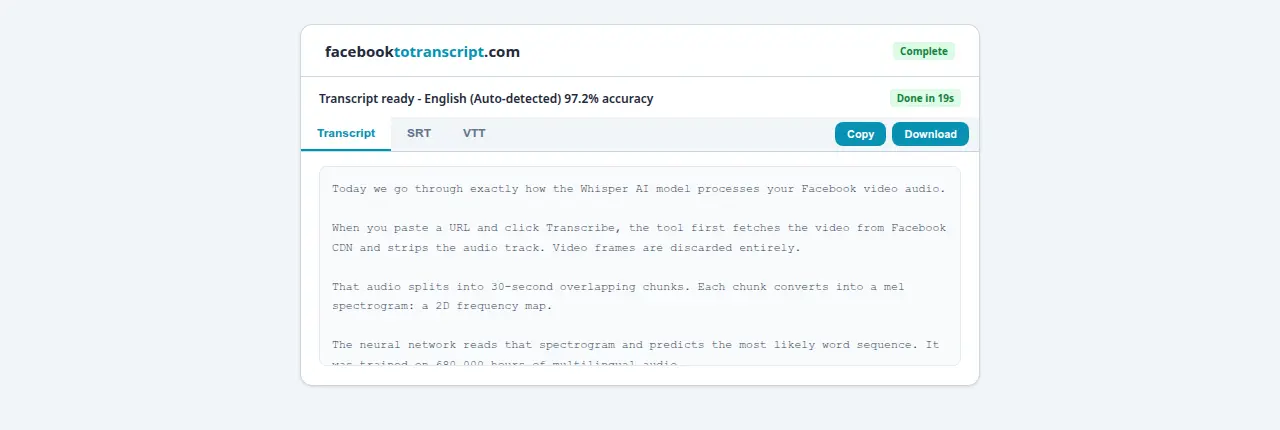
- Audio extraction. The video is fetched and the audio stream is isolated. No visual frames are ever processed. This is why a podcast uploaded as a static-image Facebook video transcribes identically to a talking-head video.
- Chunking and spectral encoding. Audio splits into 30-second overlapping segments, each converting into a mel spectrogram. The overlap between adjacent chunks prevents words from being cut in half at boundaries.
- Neural network inference. Each chunk passes through the transformer encoder-decoder and outputs word tokens with timestamps attached for SRT alignment.
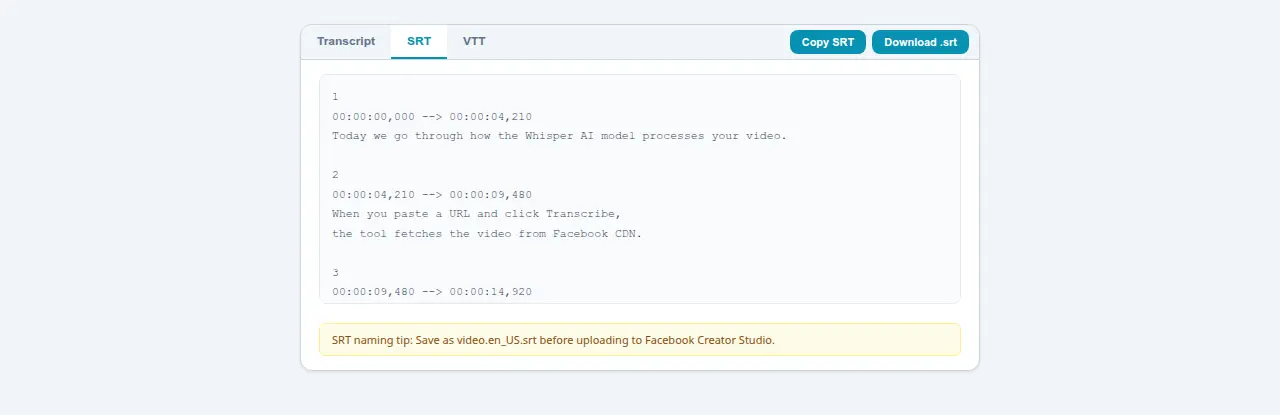
- Post-processing and formatting. Chunks stitch back together, timestamps align, and output packages into TXT, SRT, and VTT files for immediate download. Nothing is stored after your session ends.
Total time: 15–30 seconds for a 10-minute video, 2–4 minutes for a 60-minute broadcast. This is also why transcribing Facebook Live recordings works identically to any regular video — once the broadcast saves as a replay, it's just another audio file.
AI Transcription vs. Facebook's Built-In Auto-Captions
Facebook has its own auto-caption system. Worth understanding the real differences, because they're not obvious until you've run into the limitations.
Facebook's captions are generated on Meta's servers, displayed as a player overlay, and tied to your Creator Studio account. Getting them out as an SRT file means navigating to Creator Studio, finding the video, and completing several export steps — not available to all account types. Coverage is also patchy: Facebook Reels , Watch content, and Live replays have inconsistent auto-caption availability depending on language, video length, and account region.
facebooktotranscript.com processes the audio independently and delivers TXT, SRT , or VTT immediately — no account required, no Creator Studio. The meaningful difference is ownership: a file you can edit in any text editor, import into Premiere Pro, or repurpose as written content without friction from Facebook's platform.

Five Things That Actually Improve Your Results
- Select language manually. Auto-detect slips occasionally on short clips or content where technical vocabulary dominates the first seconds. Manual selection typically adds 2–3% accuracy.
- Review proper nouns first. Grammar and sentence structure come out well. Unusual names, brand terms, and place names are where errors cluster. Check those first and you'll finish the review faster.
- Plan for music-section deletions. Speech between music breaks transcribes fine. Music sections produce garbled text that needs removing. Expect it and budget for it.
- Match format to use case. SRT for subtitle work. TXT for the content repurposing workflow — plain text is far easier to edit in a document editor without timestamp clutter on every line.
- Keep the tab open on long jobs. A 90-minute recording typically completes in 6–8 minutes on a stable connection. If you close the tab or lose connection partway through, the job has to restart.
Frequently Asked Questions
How does AI transcription differ from manual transcription?
Speed and cost are the clearest differences. A human transcriptionist charges $1–$2 per audio minute and typically takes four to six times the recording length to deliver. AI finishes a 10-minute Facebook video in under 30 seconds, free. The trade-off: a skilled human still outperforms AI when speakers overlap badly, accents are heavy in a low-resource language, or audio quality is poor. For a well-recorded Facebook video in English, AI gets you 95–98% accuracy without the wait.
What accuracy can I realistically expect?
For a clear single-speaker video with decent audio, somewhere between 95–99% is typical. Add background noise or a competing speaker and you might see 88–94%. OpenAI's published benchmark for Whisper on English audio shows a word error rate around 3% — about 3 wrong words per 100. Good enough for most use cases. Review before publishing anything public-facing, especially for proper names.
Does the AI learn from my transcriptions?
No. The model is pre-trained on a fixed dataset — your video does not update it or improve it. Nothing about your content is stored or used for future training. Each job is processed independently and discarded when your session ends. This is standard for inference-only deployments.
Can AI handle specialized or technical vocabulary?
Better than you might expect. The training data includes medical lectures, legal proceedings, scientific papers, and technical tutorials across multiple languages. Unusual brand names, proprietary acronyms, and niche product names will occasionally come out wrong — but in a typical 10-minute technical transcript you are catching maybe 2–5 such corrections. Not a significant burden for a quick review pass.
How fast is AI transcription compared to real-time?
Much faster. A 10-minute video typically finishes in 15–30 seconds. A 60-minute recording is usually done in 2–4 minutes. Even under heavy server load, you are rarely waiting more than 5–6 minutes for anything under 90 minutes. Processing time scales with audio length, not video resolution or file size.
Ready to Convert Your Facebook Videos to Text?
Use our free AI-powered tool to transcribe any Facebook video in seconds.
Try the Free Transcription Tool