Convert Facebook Watch Videos to Text Online for Free
Facebook Watch hosts news segments, educational series, creator shows, and long-form interviews — most with no searchable text anywhere. Transcribing Watch content makes it quotable, researchable, and accessible to people with hearing difficulties. This guide covers the full workflow from URL to finished transcript.
Rida Mehwish
Software Developer at Codingtron · Vehari, Pakistan
Builder of Facebook to Transcript. Writes about AI transcription, video accessibility, and practical workflows for content creators and researchers.
What Facebook Watch Is and What Content Lives There
Facebook Watch is Facebook's dedicated video hub, organized around ongoing shows and channels rather than individual profile posts. It hosts a different kind of content from the main feed: multi-episode educational series, live news coverage, sports highlights, long-form creator shows, documentary clips, cooking tutorials, and professional interview content.
Most of it has no text equivalent. A 40-minute documentary, a news panel discussion, an educational series covering a complex topic — all video, no transcript, impossible to search or skim. The types where transcripts are most immediately useful:
- News and commentary segments: Exact quotes with timestamps, so you can reference the original source accurately.
- Educational series: Turn lesson content into study notes without re-watching. Searchable text is far easier to review than scrubbing video.
- Interviews and panel discussions: Long conversations become documents you can ctrl+F through in seconds instead of watching an hour of recording.
- Creator tutorials: Step-by-step instructional content is easier to follow in text form than pausing and replaying.
How to Transcribe a Facebook Watch Video
Step 1: Get the Watch Video URL
Navigate to the video. Click Share → Copy Link, or copy the URL from the browser. All of these formats work:
https://www.facebook.com/watch/?v=1234567890https://www.facebook.com/username/videos/1234567890https://fb.watch/shortcodehttps://m.facebook.com/watch/?v=1234567890
Step 2: Paste and Process
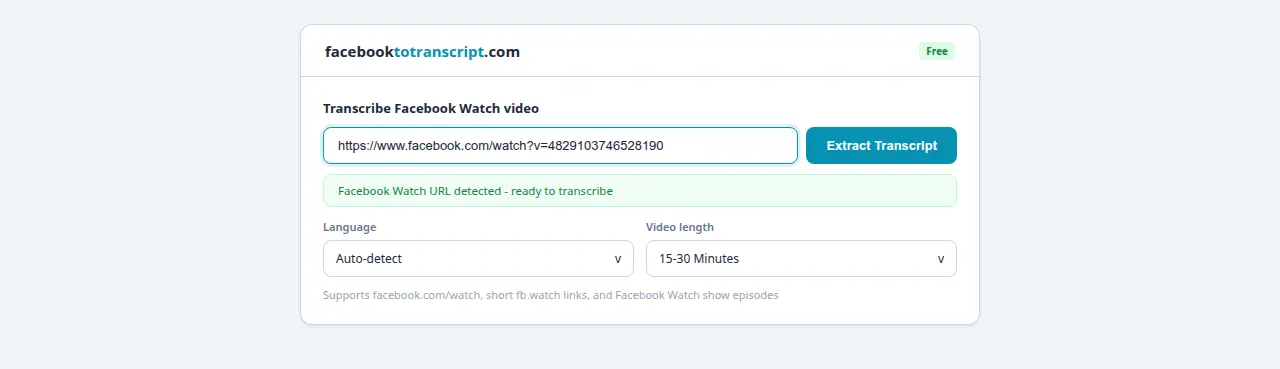
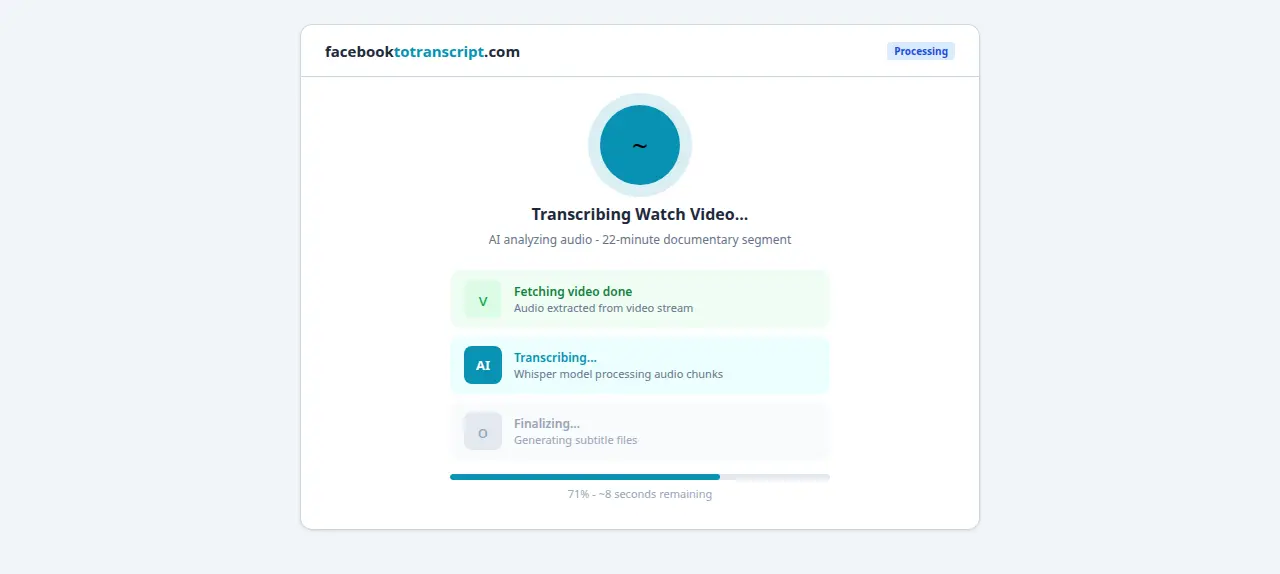
Go to the Facebook to Transcript homepage, paste the URL, select the language, and click Transcribe. Watch videos are often longer than Reels — a 60-minute video typically takes 2–4 minutes. Leave the tab open.
Step 3: Review and Download
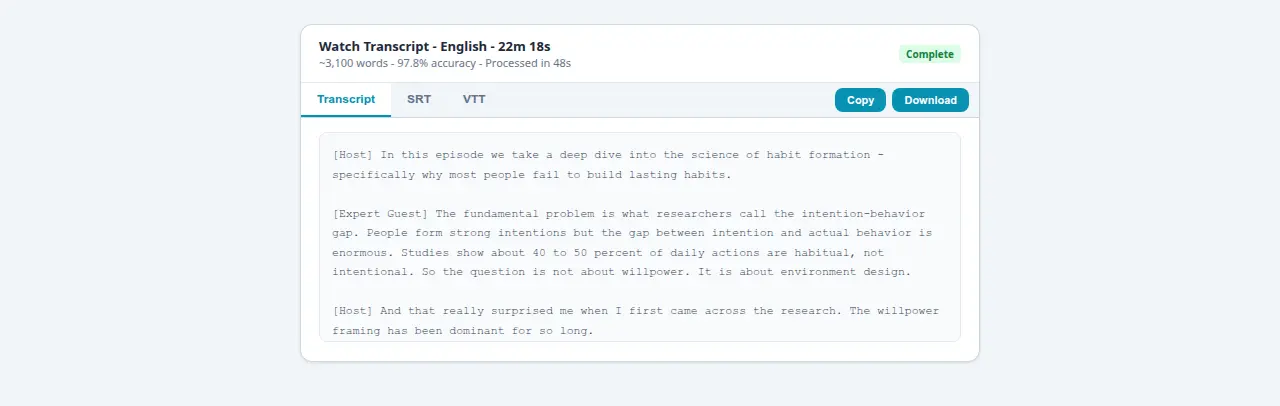
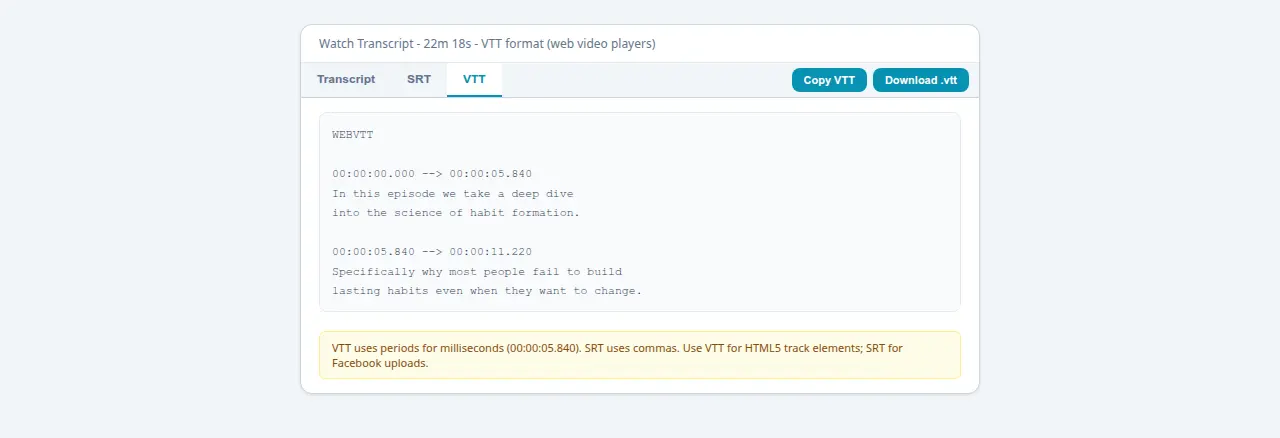
Professional Watch content tends to have well-set-up audio and produces excellent accuracy. Scan for proper nouns, show titles, and guest names. Download as TXT for writing and research, SRT for captions (see the SRT guide), or VTT for web-embedded players.
Watch vs. Live vs. Reels: How Transcription Differs
Each Facebook video format has different audio characteristics that affect accuracy and workflow:
Facebook Watch
Watch content tends to be the most intentionally produced. Even creator-made shows are usually filmed with a camera on a stand, in a controlled space, with the speaker facing forward. Professional Watch content — news segments, documentary clips, educational series — often has proper microphone setups and studio conditions. This produces high accuracy, often above 97% for single-speaker content. Watch videos are also longer, so use the SRT file as a navigation tool: timestamps let you jump to specific sections without scrubbing through an hour of recording.
Facebook Live (Replay)
Live audio is the most variable of the three formats. A studio Live with a lavalier mic in a quiet room can match Watch quality. But mobile Lives at events, outdoors, or while moving introduce background noise, compression from weak connections, and the classic issue of the broadcaster moving away from the mic. Expect more review time on Live transcripts. The Facebook Live to text guide covers the specific accuracy factors in detail.
Facebook Reels
Reels are short (15–90 seconds), single-speaker, recorded close to the camera — usually close to the mic too. Clean signal, focused speech, minimal competing audio. This makes Reels the highest-accuracy format. The main Reels workflow difference: Facebook doesn't support direct SRT uploads to Reels. You need to burn captions into the video file using an editor. The Reels transcription guide covers the CapCut and Premiere Pro pipeline step by step.
Working With Long Watch Video Transcripts
Watch videos often run 30 minutes to over an hour. A few practices make long transcripts actually usable:
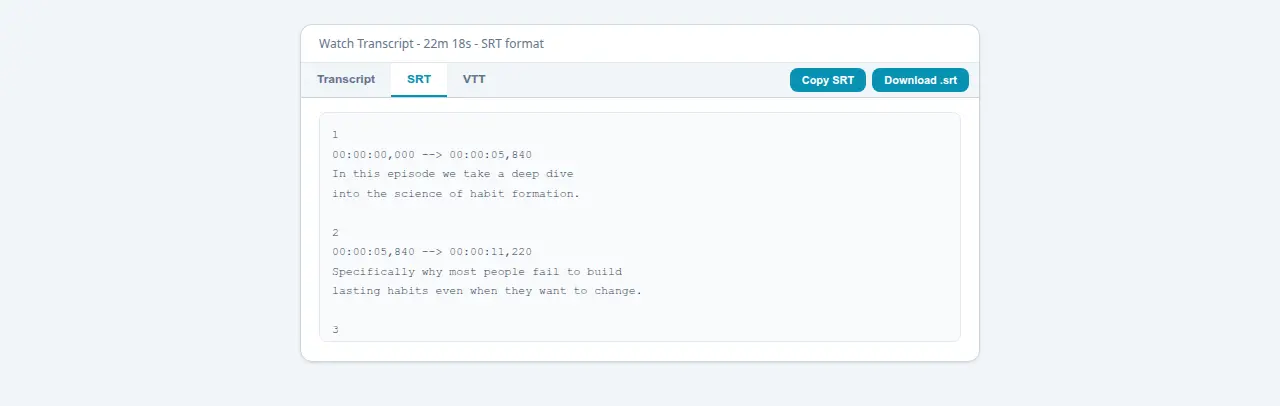
- Use SRT as a navigation tool: Timestamps let you jump to specific sections of the video without scrubbing manually. Useful when you need to verify a quote or find a specific moment.
- Search TXT with ctrl+F: Download the plain text version and search for specific names, topics, or phrases instantly. Much faster than watching the video again.
- Add speaker identifiers in one pass: For panel discussions or multi-host shows, do a single editorial pass adding [Host], [Guest: Name] labels at each speaker change. Makes the document far more useful as a reference.
- Split at topic breaks: For very long recordings, break the transcript into sections at natural topic transitions. A single wall of text from a 90-minute show is hard to use; ten labeled sections make it navigable.
What Watch Transcripts Are Good For
- Research and fact-checking: Find the exact quote from a news segment or expert interview with ctrl+F in seconds. No scrubbing through video, no pausing and rewinding.
- Study notes: For educational series, the transcript functions as lecture notes you can highlight, annotate, and review without re-watching.
- Content creation: Properly attributed quotes and reference material from Watch content you can use in articles, reports, or social posts.
- Accessibility: Uploading an SRT for a Watch video makes it accessible to deaf and hard-of-hearing viewers. See the SRT generator guide for the full upload process.
Frequently Asked Questions
What types of Facebook Watch videos can be transcribed?
Any publicly accessible Watch video with spoken audio: news and commentary segments, educational series, creator shows, tutorials, interviews, sports coverage, documentary clips. The video needs a shareable public URL. Members-only or login-gated Watch content will not be accessible.
Is there a time limit for Facebook Watch video transcription?
No limit. Short clips and full-length shows both work. A 10-minute video finishes in under a minute; a 60-minute video takes 2–4 minutes. Accuracy stays consistent throughout.
Can I transcribe Facebook Watch videos in languages other than English?
Yes, 50-plus languages. Select the spoken language manually for best accuracy — auto-detect works well for common languages but can misfire on Watch content that opens with a music intro or title card with no speech.
Do I need a Facebook account to transcribe Watch videos?
No account needed. The video just needs to be publicly accessible. Friends-only or private Watch content cannot be reached via URL without authentication.
How do I get the URL of a Facebook Watch video?
Click the video to open it full-screen, then copy the URL from the browser address bar. Or click Share and then Copy Link. Short fb.watch redirect links also work.
Ready to Convert Your Facebook Videos to Text?
Use our free AI-powered tool to transcribe any Facebook video in seconds.
Try the Free Transcription Tool