TikTok Transcript for Accessibility: Closed Captions & Inclusion
A comprehensive guide to making TikTok content accessible through transcripts and captions - covering deaf and hard-of-hearing audiences, WCAG standards, and practical implementation.
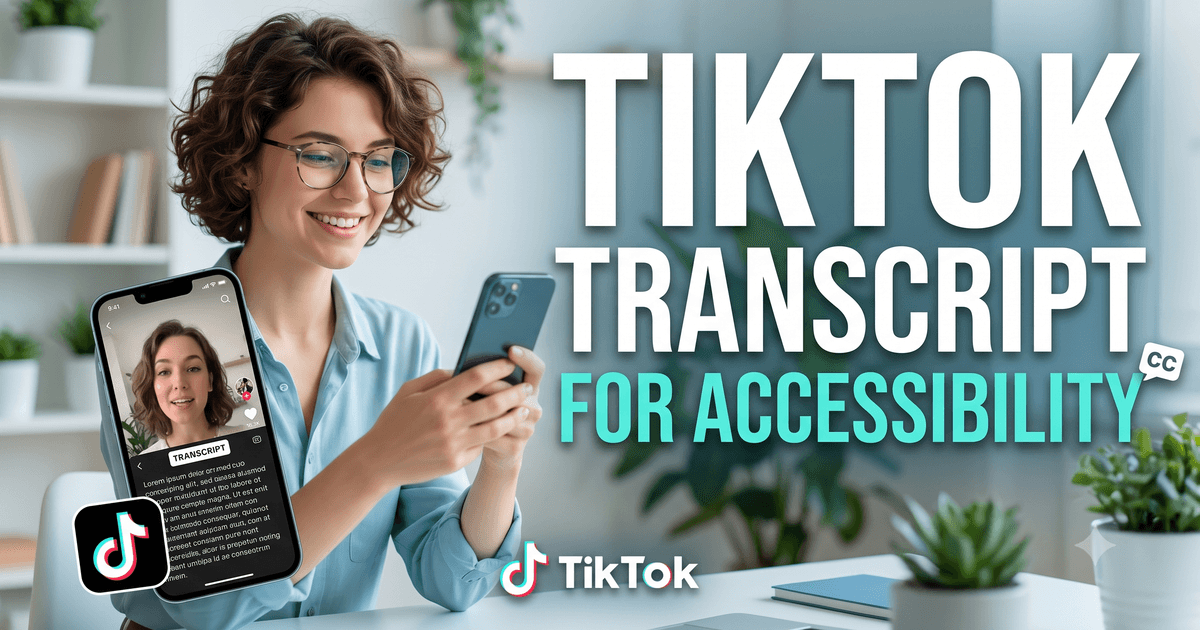
Why TikTok Accessibility Matters
Over 1.5 billion people worldwide have some degree of hearing loss. Around 430 million people have disabling hearing loss, and 70 million people are deaf. These individuals are part of your audience - or would be, if your TikTok content were accessible to them.
But accessibility on TikTok extends beyond the deaf community. People in noisy environments, people in quiet public spaces, people who are non-native speakers of the video's language, people with auditory processing disorders, and people who simply prefer to read all benefit from text captions and transcripts.
The practical reality is that most TikTok content is not fully accessible. TikTok's built-in auto-captions are an improvement but they are not always on by default, not always accurate, and not available in all languages. Proactively generating high-quality transcripts and captions for your TikTok content expands your reach significantly.
♿ Who benefits from TikTok transcripts:
- Deaf and hard-of-hearing viewers (1.5B+ worldwide)
- People watching in sound-off environments (60-80% of social viewers)
- Non-native speakers following along with text
- People with auditory processing disorders
- People with ADHD who process text better than audio
- Anyone who wants to search or reference the content later
Generate captions in seconds at facebooktotranscript.com/tiktok-transcript.
TikTok's Built-in Auto-Captions: Are They Enough?
TikTok launched auto-generated captions in 2021 and has improved them significantly since. The feature uses speech recognition to generate captions directly within the TikTok app. For many videos in major languages, the captions are reasonably accurate (85-95% for clear speech).
However, TikTok's built-in captions have significant limitations for accessibility purposes:
- Not on by default: Viewers must actively enable captions in TikTok's settings. Most users never do this, meaning the captions exist but are not seen.
- Language limitations: TikTok auto-captions support a limited set of languages. Content in smaller languages or regional dialects may not have auto-captions.
- Accuracy issues: Background music, accents, fast speech, and technical terminology reduce accuracy. An 85% accurate caption still has errors in roughly 1 in 7 words.
- Not downloadable: TikTok's captions cannot be downloaded as a file for use on other platforms.
- No editing: The creator cannot edit auto-generated captions for accuracy before they are displayed.
For genuine accessibility, proactively generating, reviewing, and publishing accurate captions is necessary - not just relying on TikTok's auto feature.
How to Create Accessible TikTok Captions Using Transcripts
Step 1 - Generate the Transcript
Go to facebooktotranscript.com/tiktok-transcript, paste the TikTok URL, select the language, and click Get Transcript. The tool extracts native TikTok captions when available, or uses AI Whisper transcription as a fallback. Select the SRT download format to get timestamped captions.
Step 2 - Review for Accuracy
For accessibility use, review the SRT file carefully. Compare the transcript to the video at any section where the language seems ambiguous. Pay special attention to:
- Proper nouns (names, places, organizations)
- Technical terms, medical terms, or field-specific vocabulary
- Numbers, dates, and statistics
- Homonyms (words that sound the same but have different meanings)
Step 3 - Add the Captions to Your Content
For TikTok-native accessibility, you can upload an edited SRT file through TikTok's caption editor when creating or editing a post. For cross-platform accessibility, the SRT file can be used on YouTube, Facebook, LinkedIn, and any other platform that supports subtitle files.
Step 4 - Consider Open Captions for Maximum Reach
Open captions are burned into the video itself - they are always visible regardless of platform, device, or viewer settings. For TikTok, this means adding the caption text as a text overlay in your video editor before uploading. While more work, open captions guarantee that every viewer sees the text, even in environments where the platform's caption feature might not work.
Accessibility Standards and TikTok Content
The Web Content Accessibility Guidelines (WCAG) define international standards for digital accessibility. While WCAG was primarily designed for websites, its principles apply to all digital content including social media video:
- WCAG 1.2.1 (Audio-only): Requires a text alternative for audio content. For TikTok, this means providing a transcript.
- WCAG 1.2.2 (Captions): Requires captions for synchronized media (video with audio). Applies to all TikTok videos.
- WCAG 1.2.3 (Audio Description): Recommends describing visual-only information in audio form for visually impaired users.
Brands and organizations subject to ADA (Americans with Disabilities Act), Section 508 (US federal agencies), the UK Equality Act, or Canada's AODA have legal obligations to ensure their video content is accessible. The safest approach for any organization is to caption all video content proactively.
Transcripts vs Captions: Different but Complementary
Transcripts and captions serve different accessibility needs:
- Captions appear synchronized with the video, allowing deaf and hard-of-hearing users to follow along in real time. They are essential for video content.
- Transcripts are standalone text documents of the video's spoken content. They are useful for searching content, reading at your own pace, saving for reference, and using as study materials. They also serve users who cannot or prefer not to watch the video at all.
Best practice for accessible TikTok content is to provide both: captions on the video itself, and a text transcript linked or published separately for users who want the standalone text version.
The Business Case for TikTok Accessibility
Accessibility is not just a compliance issue - it is a reach issue. Content that is only accessible to hearing viewers in sound-on environments is missing a significant portion of potential viewers. By captioning your TikToks:
- Reach deaf and hard-of-hearing audiences: 1.5 billion people globally who are currently excluded from your content.
- Capture sound-off viewers: 60-80% of social video is watched muted. Captions keep these viewers engaged.
- Improve comprehension: Captions improve message retention even for hearing viewers, particularly for content with technical language or accents.
- Boost SEO: When TikTok content is embedded on websites, transcript text is indexed by search engines - giving your content additional search visibility.
- Enable repurposing: Accessible content with transcripts is easier to repurpose across platforms and formats.
Frequently Asked Questions
Are TikTok creators legally required to provide captions?
In most countries, there is no specific legal requirement for individual TikTok creators to provide captions. However, brands, businesses, and organizations that produce video content for public audiences may face accessibility obligations under laws like the ADA (US), the Equality Act (UK), and AODA (Canada). Best practice for all creators is to include captions.
How accurate are TikTok's auto-generated captions for accessibility?
TikTok's built-in auto-captions are decent but imperfect - typically 85-95% accurate for clear speech in English. For professional or critical accessibility use, extracting the captions via our tool and reviewing them manually before publishing ensures better quality.
Can I use downloaded TikTok transcripts as captions for my own videos on other platforms?
Yes. Download the SRT file from the transcript tool and upload it as a caption file on YouTube, Facebook, LinkedIn, or any platform that accepts SRT files. This is one of the fastest ways to add accurate captions when repurposing TikTok content across platforms.
What is the difference between closed captions and open captions for accessibility?
Closed captions can be toggled on and off by the viewer. Open captions are burned into the video and always visible. For TikTok accessibility, open captions (text overlaid in the video) are often more effective because they display without requiring the viewer to enable anything and work even when auto-play is on mute.
How do transcripts help people with cognitive disabilities?
Transcripts benefit people with ADHD, dyslexia, processing disorders, and other cognitive differences by allowing them to read at their own pace, re-read difficult sections, search for specific information, and avoid the attention demands of video. Text is inherently more accessible for self-paced learning.
What percentage of TikTok users watch with sound off?
Research consistently shows that 60-80% of social media videos are watched with sound off, particularly in public spaces. This means that without captions, a majority of your potential TikTok audience is consuming your video without access to the audio content.
Ready to Convert Your Facebook Videos to Text?
Use our free AI-powered tool to transcribe any Facebook video in seconds.
Try the Free Transcription Tool