TikTok Captions vs Subtitles: What's the Difference?
A clear explanation of the difference between captions and subtitles on TikTok - covering closed vs open captions, auto-generated vs manual, and practical recommendations for creators.
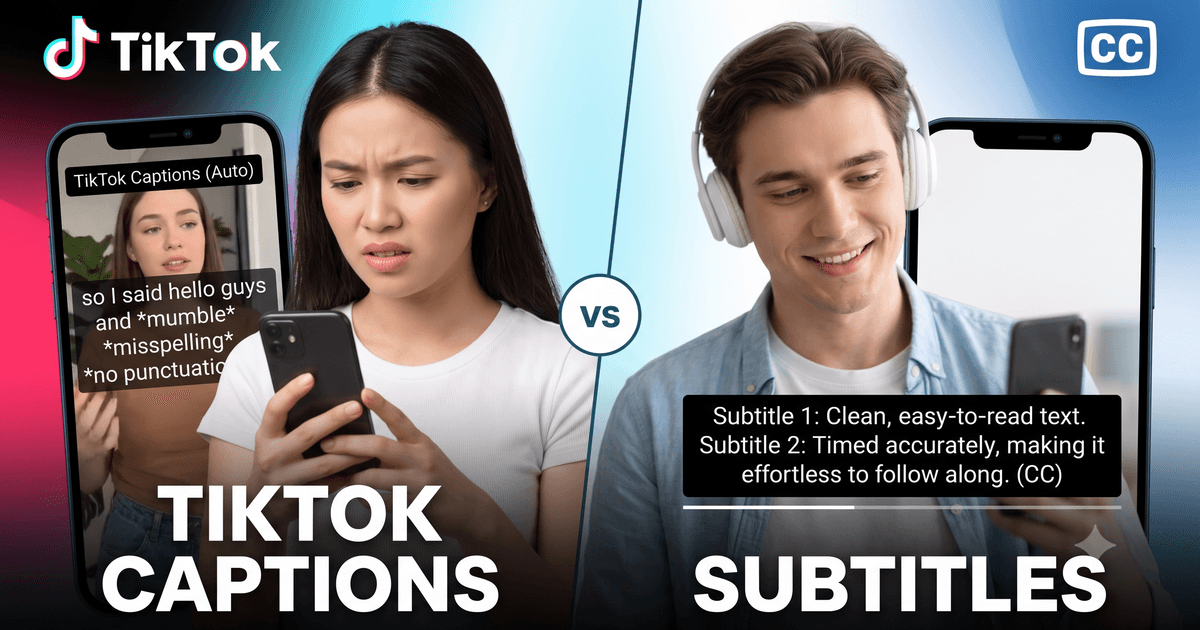
Captions vs Subtitles: The Core Distinction
The terms "captions" and "subtitles" are often used interchangeably, but they have distinct meanings in media production and accessibility:
Captions are text representations of all audio content in a video, designed for viewers who cannot hear the audio. This includes not just spoken dialogue but also significant non-speech audio: [music playing], [door slams], [applause], [speaker laughing]. Captions serve deaf, hard-of-hearing, and sound-off viewers.
Subtitles are text representations of spoken dialogue only, designed for viewers who can hear but may not understand the spoken language. Subtitles assume the viewer can hear the audio - they translate or transcribe speech without describing other sounds. Subtitles serve viewers watching content in a foreign language.
In practice on TikTok, most creators use "captions" to mean any text overlay of the spoken content, regardless of technical definition. Understanding the distinction helps you choose the right approach for your audience and purpose.
📋 Quick comparison:
| Feature | Captions | Subtitles |
|---|---|---|
| Purpose | Accessibility (deaf/HoH) | Translation (language) |
| Includes speech | ✓ Yes | ✓ Yes |
| Includes sound effects | ✓ Yes | ✗ No |
| Assumes viewer can hear | ✗ No | ✓ Yes |
| Language match | Same as audio | Different from audio |
Closed Captions vs Open Captions on TikTok
Within captions, there is another important distinction: closed captions versus open captions.
Closed Captions
Closed captions can be turned on or off by the viewer. On TikTok, the platform's auto-generated captions are closed captions - viewers must go to Settings and enable "Always Show Captions" to see them, or the creator must have enabled the caption feature for that specific video.
Advantages of closed captions: they do not obstruct the visual content for viewers who do not need them, and they give viewers control over their experience.
Disadvantages on TikTok specifically: most viewers never enable captions in settings, so closed captions reach a much smaller portion of the audience than open captions. On TikTok, the platform's closed caption feature is also inconsistently available depending on the device, region, and account settings.
Open Captions
Open captions (also called "burned-in captions") are permanently overlaid on the video. They cannot be turned off by the viewer and are visible to everyone regardless of platform settings, device, or regional restrictions.
For TikTok, open captions are typically added in the video editor before uploading - using tools like CapCut, InShot, or the TikTok editor's text feature to manually type or paste the caption text over the video.
Advantages of open captions: guaranteed visibility for all viewers, maximum accessibility reach, and consistent display across all devices and platforms if you repurpose the video. On TikTok specifically, where 60-80% of users watch with sound off, open captions dramatically increase message comprehension and watch time.
Disadvantages: they cannot be disabled for viewers who do not want them, and they require more production effort to add.
Auto-Generated Captions vs Manual Captions on TikTok
TikTok Auto-Generated Captions
TikTok automatically generates captions for most videos in supported languages using its built-in speech recognition. These captions appear in the TikTok app as closed captions when the creator enables them. They are generated in real time when the video is uploaded, typically within a few minutes.
Accuracy: 85-95% for clear speech in major languages (English, Spanish, French, etc.). Accuracy decreases significantly for videos with background music, accents, fast speech, or technical vocabulary.
TikTok's auto-captions are convenient but not editable within the standard creator interface. This means errors cannot be corrected without using a third-party tool.
Manual Captions
Manual captions are created by a human (or AI tool) outside of TikTok and either uploaded as an SRT file or typed manually as text overlays in the video editor.
The workflow for creating manual captions using a transcript tool:
- Record your TikTok and post it (or have the URL ready)
- Go to facebooktotranscript.com/tiktok-transcript and paste the URL
- Download the SRT file
- Review and edit the SRT for any errors
- Upload the corrected SRT file via TikTok's caption upload feature, or use it as a reference to add open captions in your video editor
Manual captions are more accurate and more professional than auto-generated captions, but require more effort.
When to Use Captions vs Subtitles on TikTok
Use Captions When:
- Your primary goal is accessibility for deaf and hard-of-hearing audiences
- Your content includes important non-speech audio (music cues, sound effects, tone of voice) that affects meaning
- Your content will be posted on a platform with clear accessibility obligations
- You want to maximize reach among sound-off viewers
- The video language matches the caption language
Use Subtitles When:
- You are translating your TikTok content for a different language audience
- You are repurposing content originally in one language for viewers who speak another
- You want to make content accessible to viewers who speak a different language but do not need sound effect descriptions
The Reality for Most TikTok Creators
For most individual creators, the practical distinction is less important than simply having text on screen. Whether you call it captions or subtitles, adding the spoken text as a text overlay on your TikTok video improves engagement, accessibility, and reach. Studies consistently show that TikToks with on-screen text outperform those without, across all metrics.
TikTok's Caption Features: What's Built In
TikTok provides several caption-related features that creators should know about:
- Auto Captions: Enable in the posting screen under "Captions." TikTok generates captions automatically from your audio. Available in many languages.
- Caption upload: TikTok allows creators to upload SRT files as captions for their videos. Access this through the Edit Post → Captions option on some account types.
- Text stickers: The TikTok editor includes text tools that can be used to manually type and position caption text as open captions directly in the video.
- Accessibility settings: Viewers can enable "Always Show Captions" in their own TikTok settings to see closed captions on all videos that have them.
Best Practices for TikTok Captions
- Use open captions for maximum reach: Given that most TikTok viewers have closed captions disabled, burned-in text overlays reach a larger audience.
- Keep captions short: Limit to 1-2 lines of text at a time. Long blocks of text are hard to read at TikTok's video pace.
- Use high contrast: White text on a dark background (or dark text on a light background) with a subtle shadow or outline ensures readability on any video.
- Position carefully: Keep captions in the lower third of the screen but not so low they are cut off on some devices. Avoid placing text over important visual elements.
- Review for errors: Whether using auto-captions or AI transcription, always proofread before publishing. Caption errors can change meaning and undermine credibility.
- Match caption speed to speech: Captions that appear or disappear too quickly for reading are ineffective. Match the timing to how fast the words are spoken.
Frequently Asked Questions
What's the main difference between captions and subtitles?
Captions are designed for viewers who cannot hear the audio - they include all spoken words plus descriptions of significant non-speech sounds (music, sound effects, speaker identification). Subtitles assume the viewer can hear and are primarily used for translation - displaying spoken content in a different language than what is spoken.
Does TikTok have both captions and subtitles?
TikTok has auto-generated captions (for accessibility) and creator-added text overlays (often used as subtitles or emphasis). TikTok does not have a dedicated subtitle translation feature built in, though auto-captions can be generated in multiple languages from TikTok's settings.
Should I use open or closed captions on TikTok?
For maximum accessibility reach, open captions (burned into the video) are generally better on TikTok because they appear automatically for all viewers including those who watch with sound off and have not enabled TikTok's caption feature. Closed captions require the viewer to actively enable them.
Can I download TikTok captions and use them as subtitles on another platform?
Yes. Use facebooktotranscript.com/tiktok-transcript to download TikTok captions as SRT files. Upload the SRT to YouTube, Facebook, LinkedIn, or any platform that accepts subtitle files. You may need to adjust formatting or timing slightly for different platforms.
How accurate are TikTok auto-captions?
TikTok auto-captions achieve 85-95% accuracy for clear speech in major languages. Accuracy drops for fast speech, heavy accents, background music, technical terminology, and non-English content. For critical or professional use, always review and edit auto-generated captions.
What is SDH and how does it differ from regular subtitles?
SDH (Subtitles for the Deaf and Hard of Hearing) combines the features of captions and subtitles - it includes all spoken dialogue (like subtitles) plus non-speech audio information like sound effects and music (like captions). SDH is used when a single text track needs to serve both translated and accessibility functions.
Ready to Convert Your Facebook Videos to Text?
Use our free AI-powered tool to transcribe any Facebook video in seconds.
Try the Free Transcription Tool